

 |
 |
|
|
 05-22-2011, 09:42 AM
|
#361 |
 Drives: 10 yaris Join Date: Mar 2011
Location: CNY
Posts: 14
|
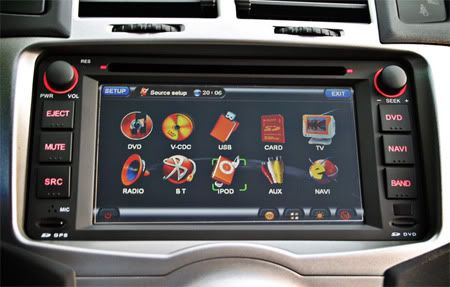
I hope everyone has better luck than I did with this unit. I ended up sending it back (at my expense) after trying to work things out with the seller on ebay. My unit failed to work with any I-pods, or external media such as the micro sd's and thumb drives.
The seller (AUTODVDPLAYERS) was of no help at all, and took days to reply, stating that the unit was a 2008 design and I can't expect it to work with newer items. In the end I had to start an e-bay claim as the seller wouldn't refund or accept returns, good thing e-bay did refund my money. My car is now back to the Alpine iDA-X100 & Garmin GPS. Must say after putting the Alpine back in, it does sound much much better. Best of luck everyone, it's a great looking unit. |

|

|
|
05-22-2011, 12:33 PM
|
#362 |
 Drives: 09 Yaris 3dr HB, BRZ Join Date: Mar 2011
Location: GTA
Posts: 222
|
I don't have an iPod to try, but no issues with my usb flash drive or a 16gb sd. Still figuring things out but yet to find a way to have it randomize playback of the tunes on usb or sd.
|
|
|
|
|
05-22-2011, 01:02 PM
|
#363 | |||||
|
always toyin'

|
Quote:
Quote:
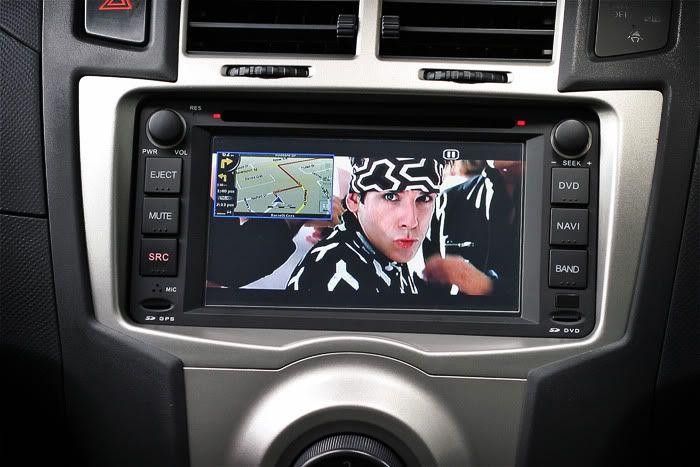
I did not realize this HU would gather a lot of interest and I should really warn people that this HU is not for eveyone, especially those that rely a lot on their iPods for music since the menus sometimes are very 'clunky' (unlike your mainstream brands like alpines, pioneers, kenwoods, etc.) that have far more superior user GUI and detailed manuals. again, please use your discretion before thinking about getting one and read my mini reviews of the unit when I first installed it. i've reposted it below and also daveprue's mini review. -toy Quote:
Quote:
From daveprue: Quote:
__________________
- Procrastinators of the world unite! ...tomorrow.  My Garage.. 'Mild' Drop & Misc..2-DIN GPS/Navi..DIY:Rear Wiper Delay..Ramps/Roll-Ups..Rain Sensing Wipers / Auto-Headlamps |
|||||
|
|
|
|
05-23-2011, 09:36 AM
|
#364 |
|
Drives: Ford Focus SW - 2009 Join Date: May 2011
Location: Italy
Posts: 2
|
Different car, same player, 2-zone disabled :(
Hello,
I have a Ford Focus, but the player/navigator software is just the same. I just bought a second displyay to use the "2-zone" function (I want to use the navigator while the children in the back watch at a cartooon on the second display), but now I realize that the "2-zone" function is disabled! :( If I click on it nothing happens, the button seems to be disabled. Has anyone used the 2-zone function with a second display? Do you know how could I enable it? Last question: is there a way to update the firmware/software (not the navigation IGO software)? From where can I download the latest release? Many thanks and best regards to all :) Alex. |
|
|
|
|
05-23-2011, 02:21 PM
|
#365 |
|
always toyin'
|
Alex, i don't really know if anyone has actually installed a 2nd display for this hu.
On mine, the 2-zone button appears to be "active" (button can be clicked) but I don't have another display though. I went thorugh the menu settings but could not find any related to enabling/disabling this feature. In terms of firmware updates, i've searched and found a couple of sites that offer it (sorry can't remember the links it's been a while) but reading through their forums most have been unsuccessful and/or have ended up with 'bricked' units. If you find a working solution pls do comeback and share what you find =) -toy
__________________
- Procrastinators of the world unite! ...tomorrow. My Garage.. 'Mild' Drop & Misc..2-DIN GPS/Navi..DIY:Rear Wiper Delay..Ramps/Roll-Ups..Rain Sensing Wipers / Auto-Headlamps |
|
|
|
|
05-24-2011, 07:29 AM
|
#366 |
|
Drives: 09 Yaris 3dr HB, BRZ Join Date: Mar 2011
Location: GTA
Posts: 222
|
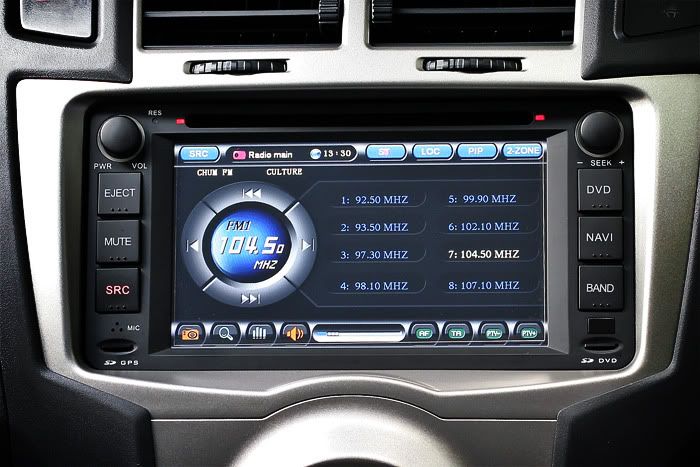
Yes Toy, nothing bounces in the Spectrum screen. I think it did the once.. and only once.. I think the first time i went to the spectrum screen they bounced until i tapped the screen again.
|
|
|
|
|
05-24-2011, 08:57 AM
|
#367 | |||||
|
Drives: Ford Focus SW - 2009 Join Date: May 2011
Location: Italy
Posts: 2
|
Quote:
Quote:
Quote:
Quote:
Quote:
|
|||||
|
|
|
|
05-25-2011, 05:24 PM
|
#368 |
|
Drives: 09 Yaris 3dr HB, BRZ Join Date: Mar 2011
Location: GTA
Posts: 222
|
Maybe this weekend I will have a go and try resetting the unit and see if I can get the spectrum to work.
Next question... with PIP i don't have the option to display the radio in the small window and navi in the large (can display everything else). Is that the norm? I can do radio large, navi small Should add I cannot get radio to play with Navi large at all. |
|
|
|
|
05-25-2011, 09:48 PM
|
#369 |
|
always toyin'
|
Let us know how you make out... just in case, the reset hole/button is in the top left hand corner beside the VOL knob.
BTW, did you check to make sure the spectrum analyzer option wasn't disabled?  -toy
__________________
- Procrastinators of the world unite! ...tomorrow. My Garage.. 'Mild' Drop & Misc..2-DIN GPS/Navi..DIY:Rear Wiper Delay..Ramps/Roll-Ups..Rain Sensing Wipers / Auto-Headlamps |
|
|
|
|
05-26-2011, 06:43 AM
|
#370 |
|
Drives: 09 Yaris 3dr HB, BRZ Join Date: Mar 2011
Location: GTA
Posts: 222
|
Yes its not disabled
Ahh the reset hole.. thanks I was thinking I would just disconnect the battery for a minute. That solution looks better. |
|
|
|
|
05-26-2011, 08:25 AM
|
#371 |
|
Drives: 2010 NCP91 5spd Join Date: Nov 2009
Location: Thailand
Posts: 449
|
Oh god will this thread ever die! Unsubscribe! unsubscribe!
__________________
The best modification you can make is between the steering wheel and driver's seat. |
|
|
|
|
05-26-2011, 12:11 PM
|
#372 |
|
Drives: 09 Yaris 3dr HB, BRZ Join Date: Mar 2011
Location: GTA
Posts: 222
|
Well I tried the reset, not quite a true reset, looks like the unit maintains all my settings.
The first time i open the spectrum screen after reset the things bounce for a split second then come to rest and never move again... Meh not a big issue. |
|
|
|
|
06-21-2011, 01:33 PM
|
#373 |

Drives: toyota yaris Join Date: Jul 2010
Location: south africa
Posts: 54
|
Hi, I have received mine today. Where must I connect the "brake detection" "back detection" and "AMP control" cables? It's the 3 seperate cables coming from the power plug. And also I don't know if anyone of you have the reverse camera, but there is a short red cable connected to each end of the AV cable that connects the camera to the unit. Where must this be connected?
Thanks for the help Brendan
__________________

|
|
|
|
|
06-22-2011, 03:48 PM
|
#374 | |
|
always toyin'
|
Quote:
All I remember was it was plug n play (toyota harness) and took me like 15 minutes to hook everything up. I don't think those cables you're referring to needs to be connected (likely they're to prevent dvd playback when driving, etc.). I think I just left mine unconnected and zip tied them at the back. -toy
__________________
- Procrastinators of the world unite! ...tomorrow. My Garage.. 'Mild' Drop & Misc..2-DIN GPS/Navi..DIY:Rear Wiper Delay..Ramps/Roll-Ups..Rain Sensing Wipers / Auto-Headlamps |
|
|
|
|
|
06-23-2011, 01:40 PM
|
#375 |

Drives: 2009 Yaris LB in Blazing blue Join Date: May 2009
Location: Western PA (Franklin)
Posts: 237
 |
Can anyone recommend an amazon seller for this item? I'm a little nervous I want to make sure I get one from a reputable seller..
|
|
|
|
|
08-01-2011, 05:06 PM
|
#376 | |

Drives: Black '08 Yaris Hatch S Join Date: Aug 2011
Location: Johnson City, Tennessee
Posts: 320
|
Quote:
http://www.autodvdgps.com/car-dvd-gp...ies-p-565.html |
|
|
|
|
|
08-19-2011, 12:04 PM
|
#377 |
|
Drives: 1987 Silverado Join Date: Jan 2010
Location: Texas
Posts: 315
|
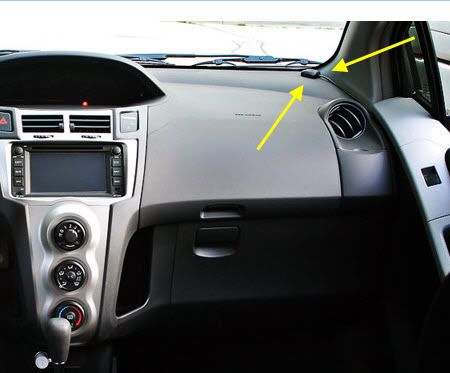
Anyone know exactly how many millimeters the opening for a 2009 double din unit is? I am wondering if the unit that the OP put in, will fit in my car.
|
|
|
|
|
08-20-2011, 12:53 PM
|
#378 |
|
Drives: 1987 Silverado Join Date: Jan 2010
Location: Texas
Posts: 315
|
Ok read the whole thread and I found out that it fits fine. There are only a couple of questions that I have.
1. Do ALL of these units come with 128mb of RAM? I'm talking about the exact same unit that the OP used. I see some websites are selling it, but they say something like "EMS Memory: 64MB". If you scroll down a bit after clicking on this link, you can see where they say that. I just want to be 100% sure that I get a unit with 128mb of RAM just like the OP did. I hate a slow interface. http://www.dhgate.com/car-dvd-player...59f670fb5.html 2. How do you update maps? Do you just buy another micro SD card from iGO? 3. There seems to be some pretty big discrepancies in the prices of these things. Some places seem to be selling it for around $300, while other sell it close to $500. Is that cause some places sell it without the GPS software SD card? |
|
|
|
 |
| Thread Tools | |
| Display Modes | |
|
|
 Similar Threads
|
||||
| Thread | Thread Starter | Forum | Replies | Last Post |
| ACRONYM thread | Shroomster | Off-topic / Other Cars / Everything else Discussions | 45 | 02-15-2025 10:30 PM |
| Electrical System Upgrade Advice | sqcomp | In Car Entertainment + Electronics (audio / video / alarm) | 6 | 03-23-2016 01:15 AM |
| Decent eBay deal on harness and double DIN kit | Sodium Duck | In Car Entertainment + Electronics (audio / video / alarm) | 6 | 03-23-2009 12:04 AM |





 Linear Mode

